Do it yourself
Frequently asked questions about cars and motorcycles
  1. Car
  2. :
  3. Hyundai
  4. :
  5. Elantra
  6. : Side marker bulb

Hyundai Elantra - Side marker bulb

Side Marker Bulb Hyundai Elantra (2006-2010 / mk 4, hd)

Hyundai Elantra (2006-2010 / MK 4, HD)
Updating the Engine Knock of the Hyundai Elantra

To update the engine knock of the Hyundai Elantra, you need to open the front bonnet of the vehicle and perform a piston replacement that can also be purchased …Read all…
Posted on 11 March 2026 by ScegliAuto

Airbag (1) Alternator (1) Speaker (1) Shocks (4) Car stereo (4) Battery (7) Ignition coil (3) Bushings (1) Control arm (6) Transmission (1) Spark plugs (4) Body (1) Glove compartment (1) Key (10) Timing belt (9) V-belt (1) Onboard computer (2) Checks and maintenance (7) Oil pan (1) Dashboard (2) Bearing (1) Brake rotors (3) Headlight (8) Tail light (4) Fog lights (1) Air filter (9) Cabin air filter (10) Fuel filter (1) Oil filter (1) Parking brake (2) Clutch (1) Accessory kit (4) Light bulb (1) Side marker bulb (1) Headlight bulb (9) Tail light bulb (7) Interior dome light bulb (1) License plate light (1) (4) Handle (10) Engine (6) Power window motor (1) Starter motor (3) Transmission fluid (1) Engine oil (1) Clock (3) Door trim panel (4) Front bumper (3) Brake pads (3) Tires (1) Shift knob (2) Pump (2) Fuel pump (3) Car door (1) Instrument cluster (1) Radiator (1) Heater core (1) Fuse box (22) Seat (3) Axle shaft (1) Oxygen sensor (2) Suspension system (1) Side mirror (4) Warning light – error code (8) (9) Tire pressure warning light (5) Service warning light (33) Brake drums and shoes (1) Fuel cap (1) Windshield wipers (1) Cylinder head (2) Valve (1) Blower motor (1) Steering wheel (2)

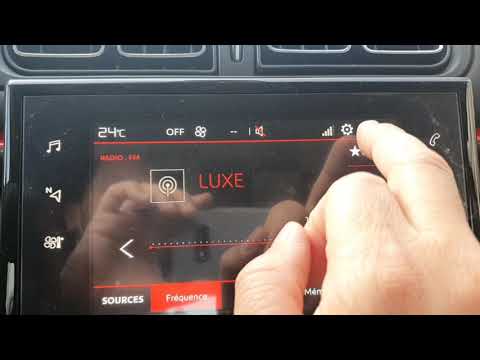
How to set the time on the Citroen C3

Today, we will look at the instructions that will allow you to adjust the time on the Citroen C3. First, get inside the vehicle and turn on the instrument panel; then go to the settings menu and subsequently to the time option, as shown in the video. At this point, go to the time setting and adjust the format, hour, and minutes; exit the settings menu to save the time displayed at the top of the screen, performing the same operation whenever it is necessary to change the time.

Watch the video!


by ScegliAuto

More videos