
|
Do it yourself
| |||
| ||||


Hyundai Elantra - Brake rotorsBrake Rotors Hyundai Elantra (2006-2010 / mk 4, hd)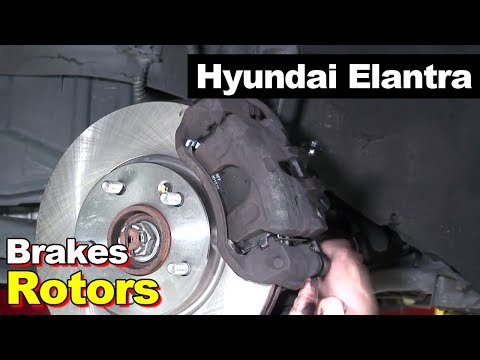 Hyundai Elantra (2006-2010 / MK 4, HD)
How to Change the Brake Discs on a Hyundai Elantra Hello, as you know, the braking system of a car is the most important part. If it is not functioning properly and you want to fix it without a mechanic's help, …Read all… Posted on 7 March 2026 by ScegliAuto  Hyundai Elantra (2000-2006 / XD, MK 3)
How to Replace Brake Discs This guide shows how to replace the brake discs on your car. They are crucial for the safety of the driver and passengers. First, turn the steering wheel …Read all… Posted on 5 March 2026 by ScegliAuto  Hyundai Elantra (2000-2006 / XD, MK 3)
Replacement of Rear Brake Discs Lift the vehicle and apply suitable axle stands. Then remove the wheel and the brake caliper, which must be taken off along with the pads; also remove the …Read all… Posted on 9 February 2026 by ScegliAuto Brake Rotors Hyundai Elantra (2000-2006 / xd, mk 3)
Hyundai Elantra (2006-2010 / MK 4, HD)How to Change the Brake Discs on a Hyundai Elantra Hello, as you know, the braking system of a car is the most important part. If it is not functioning properly and you want to fix it without a mechanic's help, …Read all… Posted on 7 March 2026 by ScegliAuto
Hyundai Elantra (2000-2006 / XD, MK 3)How to Replace Brake Discs This guide shows how to replace the brake discs on your car. They are crucial for the safety of the driver and passengers. First, turn the steering wheel …Read all… Posted on 5 March 2026 by ScegliAuto
Hyundai Elantra (2000-2006 / XD, MK 3)Replacement of Rear Brake Discs Lift the vehicle and apply suitable axle stands. Then remove the wheel and the brake caliper, which must be taken off along with the pads; also remove the …Read all… Posted on 9 February 2026 by ScegliAuto Airbag (1) Alternator (1) Speaker (1) Shocks (4) Car stereo (4) Battery (7) Ignition coil (3) Bushings (1) Control arm (6) Transmission (1) Spark plugs (4) Body (1) Glove compartment (1) Key (10) Timing belt (9) V-belt (1) Onboard computer (2) Checks and maintenance (7) Oil pan (1) Dashboard (2) Bearing (1) Brake rotors (3) Headlight (8) Tail light (4) Fog lights (1) Air filter (9) Cabin air filter (10) Fuel filter (1) Oil filter (1) Parking brake (2) Clutch (1) Accessory kit (4) Light bulb (1) Side marker bulb (1) Headlight bulb (9) Tail light bulb (7) Interior dome light bulb (1) License plate light (1) (4) Handle (10) Engine (6) Power window motor (1) Starter motor (3) Transmission fluid (1) Engine oil (1) Clock (3) Door trim panel (4) Front bumper (3) Brake pads (3) Tires (1) Shift knob (2) Pump (2) Fuel pump (3) Car door (1) Instrument cluster (1) Radiator (1) Heater core (1) Fuse box (22) Seat (3) Axle shaft (1) Oxygen sensor (2) Suspension system (1) Side mirror (4) Warning light – error code (8) (9) Tire pressure warning light (5) Service warning light (33) Brake drums and shoes (1) Fuel cap (1) Windshield wipers (1) Cylinder head (2) Valve (1) Blower motor (1) Steering wheel (2) |
How to Reset the Tyre Pressure Warning Light on the Hyundai Tucson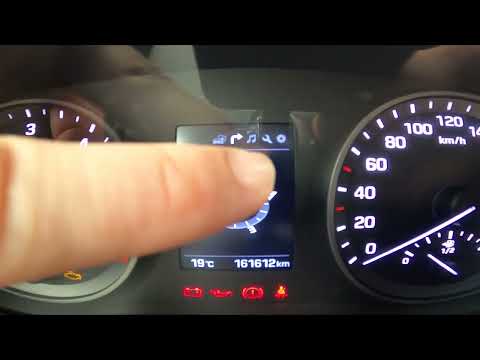
Today, we will discover the instructions that will allow you to reset the tyre pressure warning light (TPMS) on the Hyundai Tucson; before performing the reset, ensure that all four tyres are at the correct operating pressure. Then, get in the vehicle and start the ignition; next, navigate to the onboard computer settings using the controls on the steering wheel until you reach the tyre pressure monitoring section, as shown in the video. At this point, confirm and execute the reset of the TPMS warning light! by ScegliAuto More videos
|
|
For advertising on this site Write to info@scegliauto.com
ScegliAuto is not responsible for any inaccuracy of the data in the lists. To report any inaccuracy or your business (if you own the business in question), please write to info@scegliauto.com
Number of seconds to generate the page: 0.014
(c) ScegliAuto 2026 - info@scegliauto.com - Privacy policy VAT number: IT01247470535 |
