
|
Do it yourself
| |||
| ||||


How to change the engine oil in the Land Rover Discovery
Model: Land Rover Discovery
MK 2, Discovery 2, L318
- Years 1998-2004
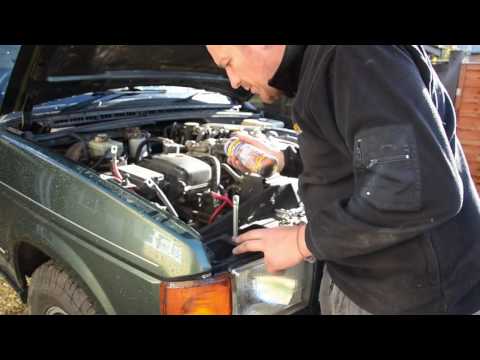
To perform the engine oil change and fuel filter replacement on a Land Rover Discovery, work with the vehicle on a flat surface and safely, using jack stands if you need to go underneath. Protect the floor with a large container and wear gloves, as oil and diesel are irritating and can easily stain. For the engine oil, bring the engine to a moderate temperature and then turn it off, so the oil flows more easily. Access from underneath the oil pan and locate the drain plug. Loosen the plug with the appropriate tool and carefully remove it, allowing the oil to drain completely into the container. Once the draining is complete, replace the plug using a good washer (if required) and tighten it correctly without overdoing it to avoid damaging the threads. Then proceed to fill from the top: insert a funnel into the oil filler and add the necessary amount, checking the dipstick and gradually reaching the correct reference. Start the engine for a few seconds, turn it off, and recheck the level after a few minutes, adding oil only if necessary. For the fuel filter, locate the filter mounted on a bracket near the firewall in the engine compartment. Prepare rags and a container as diesel may spill during removal. If necessary, clear access to the bracket fasteners and unscrew the filter from its support while keeping it vertical to minimize spills. Before installing the new filter, ensure that the seal is present and properly positioned; screw the filter in by hand until it stops, then tighten it just enough. After installation, it may be necessary to prime the system: operate the manual pump/fuel line until the resistance increases and the diesel flow returns to normal, then start the engine and carefully check for any leaks around the filter and fittings.
Posted on 11 January 2026 by ScegliAuto
Video tutorial
Related tutorials
…
Land Rover Discovery
(1998-2004 /
MK 2, Discovery 2, L318)
Removing the battery from a Land Rover Discovery? Open the hood and let's see how to remove the battery. Lift the front hood by releasing the latch w…
Land Rover Discovery
(2017-2024 /
L462, Discovery 5, MK 5)
Before starting, ensure that the driver door and the hood are open. Activate the instrument cluster of your Land Rover Discovery without starting the…
Other guides you may be interested in
|
Where is the Spare Wheel in the Peugeot 5008?
This video shows where the spare wheel is located in the Peugeot 5008 and how to access it, useful in case of a puncture. As shown, the wheel is not in the usual boot compartment but underneath it, outside the vehicle. To free the wheel, first gather the tools provided, then open the boot, locate the small indicated hatch, and open it. Next, loosen the bolt just released using the large socket wrench enough to lower the wheel to the ground. by ScegliAuto More videos
|
|
For advertising on this site Write to info@scegliauto.com
ScegliAuto is not responsible for any inaccuracy of the data in the lists. To report any inaccuracy or your business (if you own the business in question), please write to info@scegliauto.com
Number of seconds to generate the page: 0.128
(c) ScegliAuto 2026 - info@scegliauto.com - Privacy policy VAT number: IT01247470535 |
