
|
Do it yourself
| |||
| ||||



How to Check the Oil Level on the Range Rover Sport
Model: Land Rover Range Rover
MK 2
- Years:
2012, 2013, 2014, 2015, 2016, 2017, 2018, 2019, 2020, 2021
Video tutorial
Let's see in this video how to check the oil level on the Range Rover Sport: open the hood and turn on the instrument cluster, but do not start the engine. Ignore the initial warnings, such as "hood open", by pressing "ok" and cancel. Press the "cancel" button twice (which is an "x" symbol on the console or steering wheel: it depends if you are in a Range Rover Sport L494 or a Vogue 405). The oil level will appear on the screen, even when the engine is cold, by looking for "engine oil" or "oil level" in the menu that appears: the level will be shown as a percentage or with a graphical indicator. The system is designed to work with the engine cold, but for an accurate measurement, you must ensure that the vehicle has been stationary for at least 10 minutes. The optimal level is between 75% and 100%. If it is below 50%, you need to add oil. The oil recommended by the manufacturer is SAE 5W20 or 0W20 and must be of high quality.
Posted on 28 March 2026 by ScegliAuto
Related tutorials
Land Rover Range Rover
(2002-2012 /
L322, MK 3)
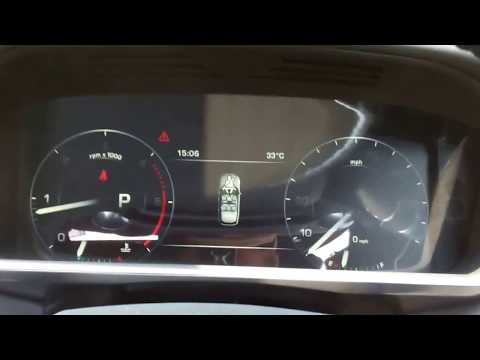
Today, check how to monitor the oil level in the Range Rover Sport. Most vehicles allow you to check the oil level using the dipstick located near th…
Land Rover Range Rover
(2012-2021 /
MK 2)
To check the oil level of the Land Rover Range Rover, turn on the ignition so you can press the OK button located on the left side of the steering wh…

Land Rover Range Rover
(2012-2021 /
MK 2)
If the AdBlue warning light has come on in the instrument panel of our Land Rover Range Rover Sport, it means that the fluid of the anti-pollution sy…
Other guides you may be interested in
|
Frequently Asked QuestionsHow to reset the tyre pressure warning light on the Kia Niro EV?
To reset the tyre pressure warning light on the Kia Niro EV, inflate the tyres until they reach the correct pressure value. This value is indicated on the sticker attached to the driver's door pillar. Once the tyres are inflated, turn on the instrument cluster to check that the warning light has completely disappeared from the display. If it is still present, you may need to drive for a few miles to ensure it disappears completely from the screen. by ScegliAuto More videos
|
|
For advertising on this site Write to info@scegliauto.com
ScegliAuto is not responsible for any inaccuracy of the data in the lists. To report any inaccuracy or your business (if you own the business in question), please write to info@scegliauto.com
Number of seconds to generate the page: 0.141
(c) ScegliAuto 2026 - info@scegliauto.com - Privacy policy VAT number: IT01247470535 |
