
|
Do it yourself
| |||
| ||||


How to read error codes in the Opel Astra
Model: Vauxhall Astra
Astra J
- Years 2009-2016
To read the error codes of your Opel Astra, you can follow some methods, depending on the available resources. Here are the options:
1. **Using an OBD-II Reader**: This is the most common and accurate method for reading error codes. **Steps:** 1. **Find the OBD-II port**: It is located under the dashboard, near the pedals or the center console. 2. **Connect the OBD-II reader**: Insert the device into the OBD-II port. 3. **Turn on the ignition**: Turn the key to the "ON" position without starting the engine. 4. **Read the error codes**: Follow the instructions of the OBD-II reader to read the codes. Usually, you need to select the option to read the error codes on the reader's display. 5. **Interpretation of the codes**: The error codes will appear on the screen. They could be numbers like "P0171" or "P0300". Use the OBD-II reader manual or search online for the meaning of specific codes. 2. **Pedal Method (for some Opel models)**: In some Opel Astra models, you can read the error codes without an OBD-II reader, using a combination of pedals. **Steps:** 1. **Insert the key into the ignition** and turn it to the "ON" position without starting the engine. 2. **Press the brake and accelerator pedals all the way down** simultaneously. 3. **Keep the pedals pressed**: After a few seconds, the error codes should appear on the dashboard display. These will be displayed one at a time. 4. **Take note of the codes**: Write down the codes that appear on the display. 3. **Using the Dashboard Display (for newer models)**: Some newer Opel Astra models have a digital display that allows you to access error codes directly from the dashboard. **Steps:** 1. **Turn on the ignition**: Turn the key to the "ON" position without starting the engine. 2. **Navigate the menu** using the buttons on the steering wheel or the center console. Look for the "Vehicle Information" or "Diagnostics" option. 3. **Read the error codes**: The display will show the error codes present in the system. 4. **Diagnosis by a Mechanic**: If you do not have access to an OBD-II reader or prefer a professional opinion, a mechanic can read and interpret the error codes using advanced diagnostic tools. 5. **Smartphone App**: You can also use a Bluetooth OBD-II interface and a smartphone app, such as Torque or OBD Fusion, to read the error codes. **Steps:** 1. **Connect the Bluetooth OBD-II interface** to the OBD-II port. 2. **Connect your smartphone** to the interface via Bluetooth. 3. **Open the app and read the error codes** following the app's instructions.
Posted on 8 March 2025 by ScegliAuto
Video tutorial
Related tutorials
Vauxhall Astra
(2009-2016 /
Astra J)
Error codes on an Opel Astra model J vehicle are used to indicate a malfunction of one of the car's electrical components. In the instruction manual,…
Vauxhall Astra
(2009-2016 /
Astra J)
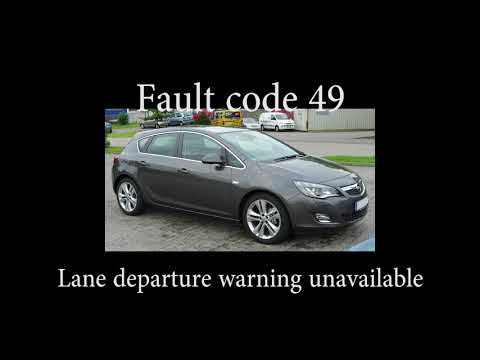
In this short video, you can see, in English, the meanings of all possible error codes that may appear on your Opel Astra J. Opel uses a coding syste…

Vauxhall Astra
(2009-2016 /
Astra J)
Error code 82 indicates that the oil change interval level has been reached. This error code activates on all Opel vehicles. Today, we will specifica…
Other guides you may be interested in
|
Frequently Asked QuestionsHow to Open a Stuck Boot on the Peugeot 407?
On the Peugeot 407, the boot may become stuck, possibly due to a problem with the control button or the lock actuator. In such cases, you can perform an emergency opening by following the simple procedure shown in this tutorial. First, open the rear doors, then lower the seat back by operating the release lever. Next, go inside the boot, locate the lock, and manually operate it using a flathead screwdriver. The boot will then be free to open. by ScegliAuto More videos
|

|
For advertising on this site Write to info@scegliauto.com
ScegliAuto is not responsible for any inaccuracy of the data in the lists. To report any inaccuracy or your business (if you own the business in question), please write to info@scegliauto.com
Number of seconds to generate the page: 0.588
(c) ScegliAuto 2026 - info@scegliauto.com - Privacy policy VAT number: IT01247470535 |
