
|
Do it yourself
| |||
| ||||


Instructions for Removing the Rear Light
Model: Subaru Forester
MK 2, SG
- Years:
2002, 2003, 2004, 2005, 2006, 2007, 2008
Video tutorial
If there is a dent near the rear light, you need to remove it to carry out the repair effectively. Open the boot and remove the grille located directly in front of the light; then unscrew the retaining nuts of the light itself: some of these are difficult to reach, so it is necessary to remove the side carpet trim, which requires first removing the interior carpet and the plastic mouldings. Once the light is removed, proceed with the bodywork repair: sand down any rust present, fill, sand again, and finally apply primer before painting.
Updated on 9 February 2026 by ScegliAuto
Related tutorials
Subaru Forester
(2012-2019 /
MK 4, SJ)
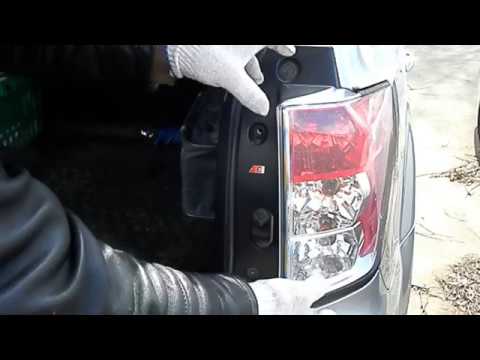
This guide will show you how to remove and replace the rear light and its bulbs on the Subaru Forester in simple steps. First, open the boot lid and …
Subaru Forester
(2008-2011 /
MK 3, SH)
Today's guide will show you how to remove and replace the rear light of the Subaru Forester, following the instructions below. First, move to the rea…
Subaru Forester
(2008-2011 /
MK 3, SH)
Below are the instructions for removing and replacing the rear suspension on the Subaru Forester. First, lift the vehicle and remove the rear wheel; …
Other guides you may be interested in
|
How to Open the Fuel Filler Flap in the Hyundai i30?
In this tutorial, you will learn how to open the fuel filler flap in the Hyundai i30, a very simple operation that follows the typical procedure of most vehicles. First, unlock the locks using the designated button on the remote, then open the driver's door, locate the release lever on the left side of the seat, and operate it. Next, move to the fuel filler flap, open it completely, unscrew the cap, and refuel as needed. To close the flap, simply press it gently. by ScegliAuto More videos
|
|
For advertising on this site Write to info@scegliauto.com
ScegliAuto is not responsible for any inaccuracy of the data in the lists. To report any inaccuracy or your business (if you own the business in question), please write to info@scegliauto.com
Number of seconds to generate the page: 0.029
(c) ScegliAuto 2026 - info@scegliauto.com - Privacy policy VAT number: IT01247470535 |
