
|
Do it yourself
| |||
| ||||


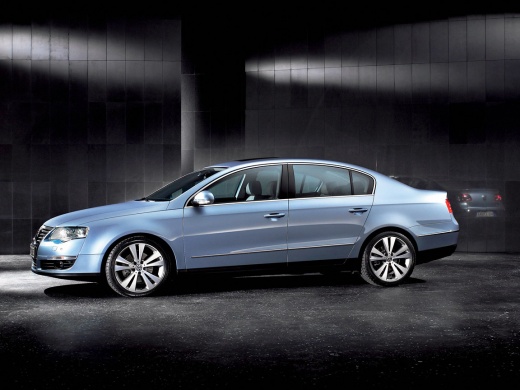
Replacement of Brake Pads
Model: Volkswagen Passat
B6, 3C
- Years:
2005, 2006, 2007, 2008, 2009, 2010
This video is currently unavailable
Remove the wheel and gently detach the caliper by removing the two spring clips and the two side bolts with a ratchet spanner. Remove the worn brake pads and replace them with two new ones of the same type, but before installation, clean any dirt with a brush. Realign the piston by pushing it back in and check the fit of the pads against the disc. Refit the bracket, cleaning and lubricating the fixing screws, then tighten them with a spanner. Reattach the caliper. If there is a pad with electrical contacts, it should be mounted facing inwards, paying attention to the direction of travel.
Updated on 4 February 2026 by ScegliAuto
Related tutorials
Volkswagen Passat
(1996-2005 /
3BG, B5)
This guide shows how to change the brake pads on your car quickly and easily. Replacing the brake pads is crucial for the safety of passengers. Lift …

Volkswagen Passat
(1996-2005 /
3BG, B5)
This guide illustrates all the operations from removing the wheel to checking the wear of the pads, then proceeding to remove the caliper, from which…
Volkswagen Passat
(1996-2005 /
3BG, B5)
Lift the vehicle on suitable axle stands and remove the rear wheels. Unscrew only the lower fixing bolt of the brake caliper, rotate the caliper upwa…
ScegliAuto offers an extensive international collection of automotive tutorials available in 12 languages. Each guide combines instructional videos with original explanations written by experienced human editors, along with information about the car models covered.
Other guides you may be interested in
|
How to Reset the Tyre Warning Light on the Hyundai I10
The tyre warning light on the instrument panel of your Hyundai I10 (third series) alerts you when there is a puncture or when the tyres are inflated to the wrong pressure. If it lights up accidentally, you can reset it manually by following these steps. Once the instrument panel is on, press the directional button located on the right side of the steering wheel and find the tyre pressure display screen. Finally, press and hold the "OK" button for a few seconds and select the "Set" option to complete the reset of the light. by ScegliAuto More videos
|
|
For advertising on this site Write to info@scegliauto.com
ScegliAuto is not responsible for any inaccuracy of the data in the lists. To report any inaccuracy or your business (if you own the business in question), please write to info@scegliauto.com
Number of seconds to generate the page: 0.027
(c) ScegliAuto 2026 - info@scegliauto.com - Privacy policy - About us VAT number: IT01247470535 |
