
|
Do it yourself
| |||
| ||||


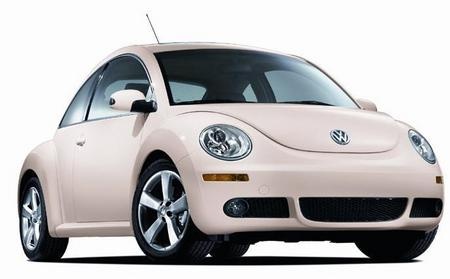
Timing Belt Replacement
Model: Volkswagen New Beetle
9C, MK 2
- Years:
1999, 2000, 2001, 2002, 2003, 2004, 2005, 2006, 2007, 2008, 2009, 2010
Video tutorial
Remove the plastic cover of the timing belt and dismantle the tensioner of the auxiliary belt along with the belt itself and the pulley connected to the crankshaft. Before removing the timing belt, correctly align the timing marks, and since you will need to remove the engine side mount, use a jack to support the engine. Once the mount is removed, loosen the tensioner with the appropriate tool and remove the timing belt; proceed to replace the water pump (it is always advisable to replace it during this maintenance even if it is functioning correctly) and the bearings included in the timing kit; it is also recommended to replace the tensioner and then finish by fitting the new timing belt. Complete the assembly by also replacing the auxiliary belt.
Updated on 5 February 2026 by ScegliAuto
Related tutorials
Volkswagen New Beetle
(1999-2012 /
9C, MK 2)
This guide will show you how and when to replace the timing belt on a Volkswagen New Beetle 1.9 TDI; the manufacturer states that the timing belt sho…

Volkswagen New Beetle
(1999-2012 /
9C, MK 2)
It is advisable to perform this operation only if you have good mechanical knowledge: a simple mistake could seriously damage the engine.
During this…

Volkswagen New Beetle
(1999-2012 /
9C, MK 2)
Open the front bonnet, remove the dipstick and the plastic engine cover; reposition the dipstick. Just next to the alternator is the tensioner for th…
Other guides you may be interested in
|
How to reset the tyre pressure warning light on the Kia Niro EV?
To reset the tyre pressure warning light on the Kia Niro EV, inflate the tyres until they reach the correct pressure value. This value is indicated on the sticker attached to the driver's door pillar. Once the tyres are inflated, turn on the instrument cluster to check that the warning light has completely disappeared from the display. If it is still present, you may need to drive for a few miles to ensure it disappears completely from the screen. by ScegliAuto More videos
|
|
For advertising on this site Write to info@scegliauto.com
ScegliAuto is not responsible for any inaccuracy of the data in the lists. To report any inaccuracy or your business (if you own the business in question), please write to info@scegliauto.com
Number of seconds to generate the page: 0.047
(c) ScegliAuto 2026 - info@scegliauto.com - Privacy policy VAT number: IT01247470535 |
