
|
Do it yourself
| |||
| ||||


Replacing the Thermostat on a Golf
Model: Volkswagen Golf
Golf IV, MK 4, Golf 4
- Years 1997-2003
Is the thermostat on your Golf damaged? Follow these steps to remove the thermostat inside the engine bay. Lift the front bonnet of the car and identify the parts to be removed. Unscrew the screws on the thermostat housing cap (use a socket wrench with the appropriate sockets), pull off the sealing cap, and extract the coolant thermostat from its seat. Once the part is removed, replace it with a new one and close the housing with the cap. Tighten all screws securely for safety. Ensure the previously installed part functions correctly in the engine bay of the Golf.
Updated on 11 April 2026 by ScegliAuto
Video tutorial
Related tutorials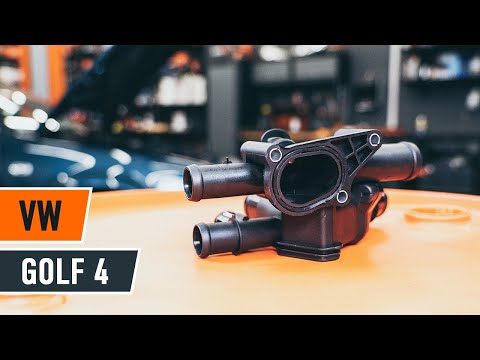
Volkswagen Golf
(1997-2003 /
Golf IV, MK 4, Golf 4)
Below are the main steps to remove and replace the thermostat of the Volkswagen Golf 1.6. First, open the bonnet and start draining the coolant by re…
Volkswagen Golf
(2003-2008 /
MK 5, Golf 5, Golf V)
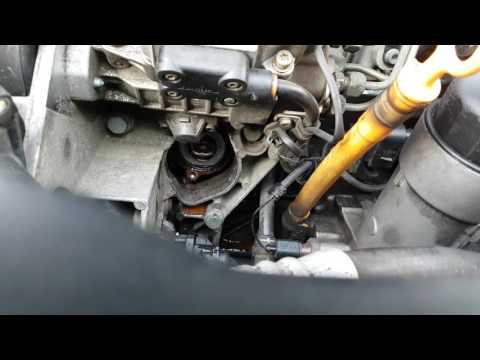
The thermostat valve allows the hot coolant from the engine to exchange with the cooled liquid from the radiator, thus it is constantly in contact wi…

Volkswagen Golf
(1997-2003 /
Golf IV, MK 4, Golf 4)
If you experience issues with the coolant temperature rising, one possible cause is a malfunctioning thermostat valve. Rust formation in the cooling …
Other guides you may be interested in
|
How to Replace the Cabin Filter on the Opel Grandland X
If you own an Opel Grandland X and want to know the steps to replace the cabin air filter, carefully read the following guide and follow the described steps. First, enter the vehicle and go to the passenger side. Then, locate the box containing the air filter in the lower side area of the dashboard. Remove the cover of the box and finally replace the old filter with the new one. Refit the cover, and you are done. by ScegliAuto More videos
|
|
For advertising on this site Write to info@scegliauto.com
ScegliAuto is not responsible for any inaccuracy of the data in the lists. To report any inaccuracy or your business (if you own the business in question), please write to info@scegliauto.com
Number of seconds to generate the page: 0.121
(c) ScegliAuto 2026 - info@scegliauto.com - Privacy policy VAT number: IT01247470535 |
