
|
Do it yourself
| |||
| ||||


How to Replace the Battery on a Volkswagen Polo
Model: Volkswagen Polo
Polo 5, Polo V, MK 5, MK V, 6R
- Years 2009-2017
In this video tutorial, see how to replace the battery on a Volkswagen Polo by following a few simple steps: the first thing to do is purchase a new battery (check the vehicle's user manual). Next, get inside the car, switch off the engine, and pull the handbrake, then pull the lever for the bonnet; lift the bonnet and secure it with the appropriate prop. The battery is located on the right side of the engine bay. Start by disconnecting the negative terminal (never disconnect the positive terminal first, as the entire car is still connected to the negative, which could create sparks that are dangerous for the electrical system). Using a 10mm spanner, begin removing the negative terminal, then the positive. Pry off the fuse box; once detached, set it aside. Using a socket and extension with a 13mm insert, remove the battery support plate. At this point, you can remove the battery from its location and replace it with the new one.
Updated on 26 July 2026 by ScegliAuto
Video tutorial
Related tutorials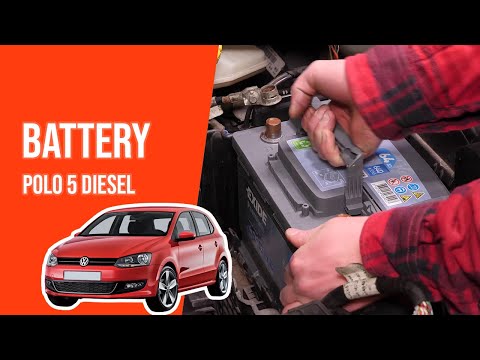
Volkswagen Polo
(2009-2017 /
Polo 5, Polo V, MK 5, MK V, 6R)
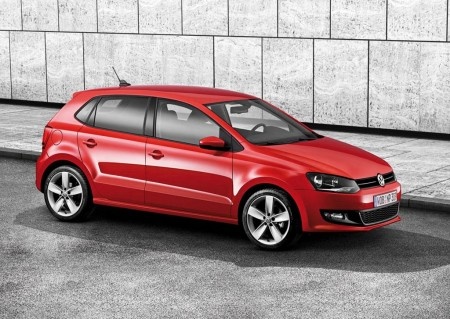
To replace the battery in a Volkswagen Polo, open the bonnet to access the components in the engine bay. The battery is located at the bottom right, …

Volkswagen Polo
(2017-2025 /
Polo VI, Polo 6, MK 6, AW1, MK VI)
To replace the battery in the remote for a Volkswagen Polo, press the button at the top of the device to lift the emergency key. This will allow you …
Volkswagen Polo
(2009-2017 /
Polo 5, Polo V, MK 5, MK V, 6R)
To replace the battery inside the Volkswagen Polo remote, press the button located at the top of the device to lift the key: once the key is lifted, …
Other guides you may be interested in
|
Frequently Asked QuestionsHow to reset the tyre pressure warning light on the Dacia Sandero?
To reset the tyre pressure warning light on the Dacia Sandero, inflate all the tyres to the pressure indicated on the label on the driver's door. Once the tyres are inflated, turn on the ignition and navigate through the menu using the controls on the right side of the steering wheel. Scroll with the arrows to find the tyre pressure option: by holding down the OK button located on the right side of the steering wheel, you can reset the warning light. by ScegliAuto More videos
|
|
For advertising on this site Write to info@scegliauto.com
ScegliAuto is not responsible for any inaccuracy of the data in the lists. To report any inaccuracy or your business (if you own the business in question), please write to info@scegliauto.com
Number of seconds to generate the page: 0.517
(c) ScegliAuto 2026 - info@scegliauto.com - Privacy policy VAT number: IT01247470535 |
