
|
Do it yourself
| |||
| ||||


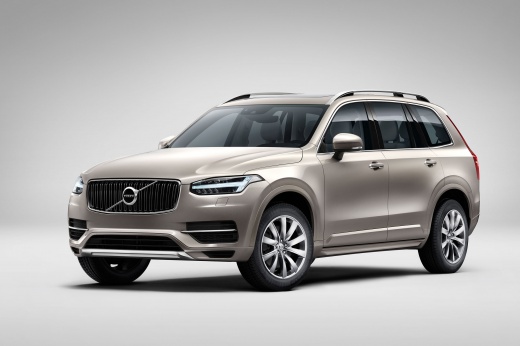
How to Disable the Alarm on a Volvo XC90?
Model: Volvo Xc90
MK 2
- Years:
2015, 2016, 2017, 2018, 2019, 2020, 2021, 2022, 2023, 2024, 2025, 2026
Video tutorial
This video tutorial explains how to disable the alarm on a Volvo XC90, not under normal operation of the key/remote, but when the battery is dead and it cannot be used remotely. First, access the cabin with the emergency key, which is located inside the shell of the aforementioned remote. Open it by pressing the side button. After this, pull the driver’s door handle outward and insert the key into the lock cylinder to open it. Then, place the remote on the reading sensor located inside the tunnel arm, allowing you to disable the alarm and start the engine.
Posted on 26 July 2026 by ScegliAuto
Related tutorials
Volvo Xc90
(2015-2026 /
MK 2)
When the alarm of the Volvo XC90 stops working or is experiencing abnormal functioning, it is likely that the module managing its operation is damage…

Volvo Xc90
(2015-2026 /
MK 2)
Today, we will illustrate how to disable the stability control on a Volvo XC90; it is advised not to disable this function while driving, as it may c…

Volvo Xc90
(2015-2026 /
MK 2)
Below we will see the information that will allow us to activate and deactivate the anti-theft system of the Volvo XC90, in simple and quick steps. I…
Other guides you may be interested in
|
How to Reset the Tire Pressure Light on a MG ZS?
On the instrument cluster of the MG ZS, the tire pressure light that appears can be reset by inflating the tires to the correct pressure: this value will be indicated on the sticker attached to the driver's door pillar. Once the tires have been properly inflated, you can turn on the instrument cluster and navigate through the menu until you find the option that indicates tire pressure: if this screen shows the new values, the light will turn off; otherwise, you will need to drive for a few miles so that the sensors can read the new values and turn off the light afterward. by ScegliAuto More videos
|
|
For advertising on this site Write to info@scegliauto.com
ScegliAuto is not responsible for any inaccuracy of the data in the lists. To report any inaccuracy or your business (if you own the business in question), please write to info@scegliauto.com
Number of seconds to generate the page: 0.130
(c) ScegliAuto 2026 - info@scegliauto.com - Privacy policy VAT number: IT01247470535 |
