
|
Do it yourself
| |||
| ||||


Video tutorial
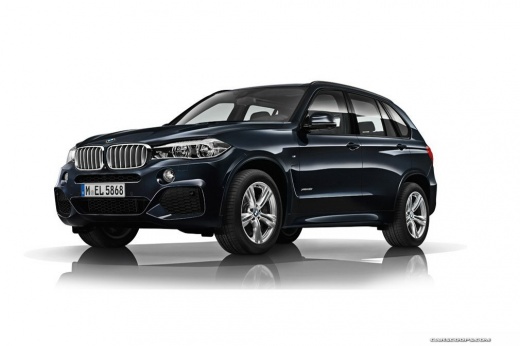
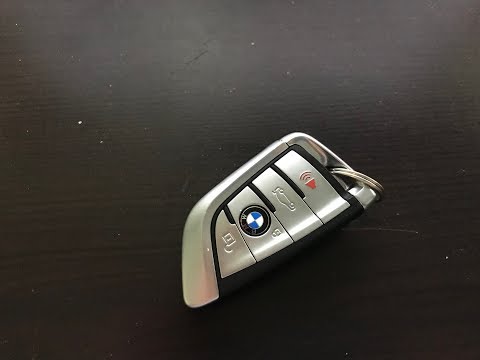
In this video, you will see the functions of the BMW key (in this case, for the X5 F15 version) that can store a large amount of personalized information, such as personal profile settings (mirror positions, locking options, seat positions, climate control preferences, navigation displays, and multimedia settings). The button at the top is used to lock and unlock the vehicle, and based on the saved preferences, the interior lights turn on. By holding the same button, the windows and the panoramic roof open. To activate the alarm, press the red button at the bottom. Pressing any button will deactivate it. The second button from the bottom is for opening the trunk. Inside the remote, you will find the physical emergency key, which can be released by pulling out the metal part and can also be used to remove the cap on the driver’s door lock.
Updated on 14 August 2026 by ScegliAuto
Related tutorials
BMW X5
(1999-2006 /
E53)
On the first generation BMW X5, the fuse boxes are located in various areas of the vehicle, each managing specific circuits. The main one is inside t…

BMW X5
(2013-2018 /
F15)
If the key of your BMW X5 suddenly stops working and you can't unlock the doors, don't worry because thanks to the procedure described below you will…
BMW X5
(2013-2018 /
F15)
Let's replace the key fob battery of a BMW X5. Take your key fob and remove the metal key inside it. Pry open the key fob cover until it separates. U…
Other guides you may be interested in
|
How to reset the tyre pressure warning light on the Kia Niro EV?
To reset the tyre pressure warning light on the Kia Niro EV, inflate the tyres until they reach the correct pressure value. This value is indicated on the sticker attached to the driver's door pillar. Once the tyres are inflated, turn on the instrument cluster to check that the warning light has completely disappeared from the display. If it is still present, you may need to drive for a few miles to ensure it disappears completely from the screen. by ScegliAuto More videos
|
|
For advertising on this site Write to info@scegliauto.com
ScegliAuto is not responsible for any inaccuracy of the data in the lists. To report any inaccuracy or your business (if you own the business in question), please write to info@scegliauto.com
Number of seconds to generate the page: 0.106
(c) ScegliAuto 2026 - info@scegliauto.com - Privacy policy VAT number: IT01247470535 |
