
|
Do it yourself
| |||
| ||||


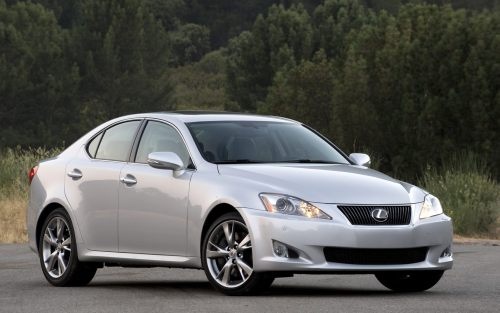
Installation of Radio Connection Kit with iPhone
Model: Lexus IS
MK 2
- Years:
2005, 2006, 2007, 2008, 2009, 2010, 2011, 2012, 2013
Video tutorial
Refer to the images to understand how to install the module that connects the iPhone to the car radio. If you have an automatic gearbox, first unscrew the knob. In the case of the video (manual gearbox), you only need to unclip the gaiter around the lever. Unclip the panel around the handbrake without fully removing it to access the panel around the gear lever. Unscrew the two screws, then remove the ashtray and disconnect the cigarette lighter connector. Now, using a pointed tool, unclip the tabs inside the air vents under the upper edge and any electrical cables present. When refitting the vents, remember to lift the tabs as shown in the images. Now unscrew the two upper screws and the lower ones to extract the radio unit. Unclip the second connector found at the back. Now take the cable included in the kit, connect it to the module, and attach the connector you just removed from the radio. The remaining connector will be attached to the back of the radio. Before reassembling everything, it is advisable to check that everything functions correctly. By connecting the iPhone, you will be able to select music tracks from the device, the radio, or the controls on the steering wheel. Car model: Lexus IS Year: 2006 Required tools: T-key or 10mm extension, flat screwdriver, cross screwdriver, trim removal tool, panels, etc.
Updated on 10 February 2026 by ScegliAuto
Related tutorials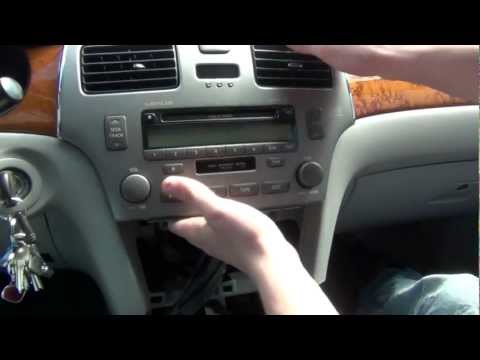
Lexus IS
(1998-2005 /
MK 1)
The following guide shows you how to easily install devices such as iPhone and iPod into your car's stereo system. These devices can be connected via…

Lexus IS
(2013-2024 /
MK 3)
Installing the GPS module to integrate the satellite navigation system with the car radio is not particularly complex but mainly requires time and pa…
Lexus IS
(1998-2005 /
MK 1)
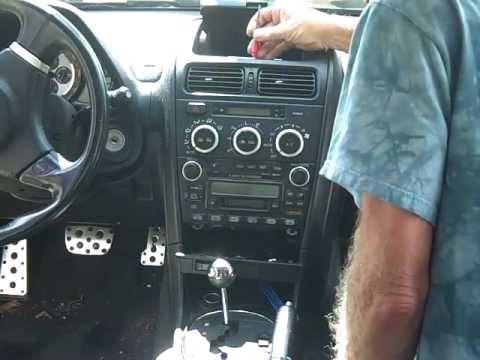
This video shows how to remove the car radio from our vehicle. If the radio shows errors or malfunctions, try disconnecting the car battery for a few…
Other guides you may be interested in
|
How to Reset the Tyre Pressure Warning Light on the Jeep Renegade?
To reset the tyre pressure warning light on the Jeep Renegade, inflate the tyres until they reach the recommended pressure: this value is indicated on the sticker attached to the driver’s door pillar. Once the tyres are properly inflated, navigate through the menu that appears on the instrument cluster until you find the tyre pressure option. At this point, press and hold the OK button on the right side of the steering wheel to make the warning light disappear. by ScegliAuto More videos
|
|
For advertising on this site Write to info@scegliauto.com
ScegliAuto is not responsible for any inaccuracy of the data in the lists. To report any inaccuracy or your business (if you own the business in question), please write to info@scegliauto.com
Number of seconds to generate the page: 0.097
(c) ScegliAuto 2026 - info@scegliauto.com - Privacy policy VAT number: IT01247470535 |
