Do it yourself
Frequently asked questions about cars and motorcycles

Resetting the Service Light on an Opel Astra

Model: Vauxhall Astra Astra J - Years 2009-2016
Part: Service warning light

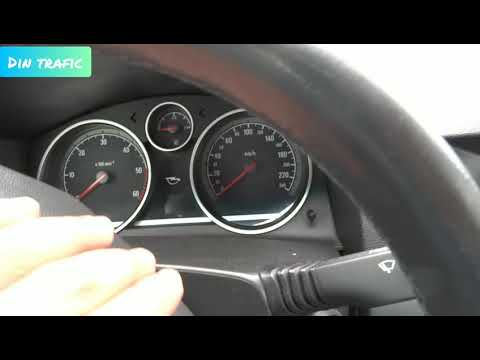
After changing the engine oil in your Opel Astra, you need to reset the warning on the display in the centre of the dashboard. To do this, sit in the driver's seat and turn the ignition key to power on the instrument cluster. Press the "Menu" button on the stalk to the left of the steering wheel until the oil screen appears. Press the "Set/Clr" button to access the screen that offers the reset option. Using the scroll wheel with arrows, select "Yes". Now press "Set/Clr" again to confirm the operation. Turn off the ignition and upon the next restart, the warning will be reset.

Updated on 23 August 2026 by ScegliAuto

Video tutorial

Related tutorials

Vauxhall Astra (2015-2022 / Astra K) Today we will discover the instructions that will show us how to reset the maintenance service light for the oil change of the Opel Astra. First, we …
Vauxhall Astra (2004-2010 / Astra H) When you approach the mileage due for a service on the Opel Astra H, the small display in the centre of the instrument panel shows "insp" to remind y…
Vauxhall Astra (2004-2010 / Astra H) When it is time to change the engine oil of the Opel Astra, the message "insp" appears on the display in the center of the dashboard to remind us. On…

Other guides you may be interested in

How to Bleed the Clutch on a Renault Clio?

To bleed the clutch on a Renault Clio, open the bonnet to access the components located in the engine bay: here, you will need to undo the screws that secure the battery in its housing, the intake manifold, and the coolant reservoir. This will allow you to locate the pipe through which the brake fluid flows: by inserting the other end of the pipe into a container, you can press the clutch pedal to expel all the fluid until it fills the container.

Watch the video!


by ScegliAuto

More videos