
|
Do it yourself
| |||
| ||||


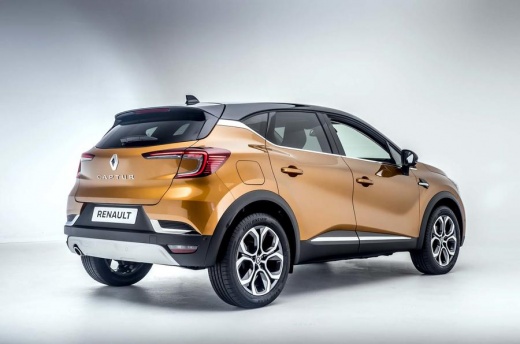
How to reset the service light on the Renault Captur
Model: Renault Captur
MK 2
- Years 2019-2026
After replacing the engine oil, it will be necessary to reset the service maintenance light; let's see the reset procedure on the Renault Captur. First of all, get into the car and start the instrument panel; then use the arrow controls on the steering wheel to navigate to the service option on the onboard computer, as shown in the video. Press the "ok" button to confirm and reset the engine oil change light, then turn off the instrument panel and start the engine!
Posted on 3 April 2025 by ScegliAuto
Video tutorial
Related tutorials
Renault Captur
(2019-2026 /
MK 2)
The reset of the service light of the 2021 Renault Captur model 2 is a very simple operation that can be done independently, also thanks to our short…

Renault Captur
(2013-2019 /
MK 1)
The first series Renault Captur (year 2018) fortunately has a rather simple procedure for completing the manual reset of the service light, and thank…

Renault Captur
(2013-2019 /
MK 1)
If you own a 2016 Renault Captur and are curious to find out how to manually reset the service light, then all you have to do is read carefully the f…
Other guides you may be interested in
|
How to Open the Bonnet of a Renault Megane if the Lever is Broken?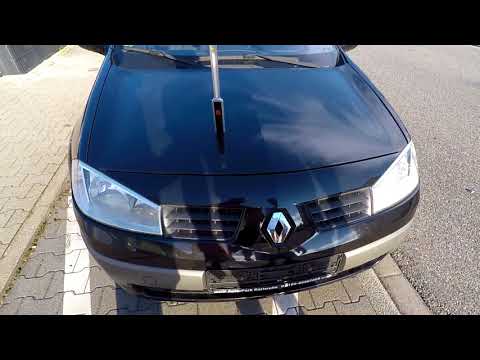
If the lever that unlocks the bonnet of the Renault Megane is broken or not functioning, there is an emergency procedure to unlock the mechanism: remove the right front grille located at the top of the bumper. Once the grille is removed, you can locate the actuator mechanism: by pulling the spring in this position, you can unlock the actuator, allowing you to lift the bonnet and access the components located inside the engine compartment. You can then close the bonnet simply by lowering it. by ScegliAuto More videos
|
For advertising on this site Write to info@scegliauto.com
ScegliAuto is not responsible for any inaccuracy of the data in the lists. To report any inaccuracy or your business (if you own the business in question), please write to info@scegliauto.com
Number of seconds to generate the page: 0.105
(c) ScegliAuto 2026 - info@scegliauto.com - Privacy policy VAT number: IT01247470535 |
