
|
Do it yourself
| |||
| ||||


Cleaning the MAF Sensor on a Renault Clio 3 1.5
Model: Renault Clio
Clio 3, MK 3, Clio III
- Years:
2005, 2006, 2007, 2008, 2009, 2010, 2011, 2012, 2013
Video tutorial
Let's see how to clean the MAF sensor on a Renault Clio III 1.5 dCi. You will need a specific cleaner for this type of sensor, such as Liqui Moly 4066, which can be found on Amazon with code B00295EEBK at a price of £11.09, with free delivery in one day for Prime customers. Start by disconnecting the negative battery terminal. The MAF sensor is located between the air filter and the throttle body, connected to the air duct. Disconnect the electrical connector, remove the retaining screws, and gently remove the sensor. Spray the cleaner on the internal filament, let it sit for a couple of minutes without touching it, repeat if necessary, and allow it to air dry completely. Reinsert the sensor into its housing, reconnect the electrical connector, secure the component, reconnect the battery, and check its operation by starting the engine. Remember not to touch the filament with your hands for any reason.
Posted on 19 April 2026 by ScegliAuto
Related tutorials
Renault Clio
(2005-2013 /
Clio 3, MK 3, Clio III)
The ABS sensor fault is unfortunately a common issue on the Renault Clio III; the first step is a visual inspection, which can be done without tools.…

Renault Clio
(2019-2026 /
Clio V, Clio 5)
Mandatory in the latest generation diesel engines, AdBlue is an anti-pollution additive used to reduce exhaust gas emissions and consequently lessen …
Renault Clio
(2005-2013 /
Clio 3, MK 3, Clio III)
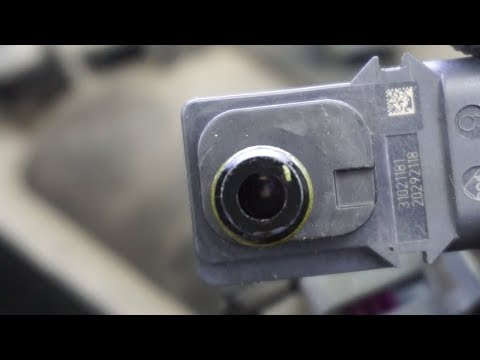
Here are the instructions to clean the mass air flow sensor on the Renault Clio. First, open the bonnet of the vehicle and begin removing the mass ai…
Other guides you may be interested in
|
How to Open the Fuel Filler Flap in the Hyundai i30?
In this tutorial, you will learn how to open the fuel filler flap in the Hyundai i30, a very simple operation that follows the typical procedure of most vehicles. First, unlock the locks using the designated button on the remote, then open the driver's door, locate the release lever on the left side of the seat, and operate it. Next, move to the fuel filler flap, open it completely, unscrew the cap, and refuel as needed. To close the flap, simply press it gently. by ScegliAuto More videos
|
|
For advertising on this site Write to info@scegliauto.com
ScegliAuto is not responsible for any inaccuracy of the data in the lists. To report any inaccuracy or your business (if you own the business in question), please write to info@scegliauto.com
Number of seconds to generate the page: 0.101
(c) ScegliAuto 2026 - info@scegliauto.com - Privacy policy VAT number: IT01247470535 |
