
|
Do it yourself
| |||
| ||||


Volkswagen New Beetle - Warning light – error codeWarning Light – Error Code Volkswagen New Beetle (2011-2018 / mk 3) Volkswagen New Beetle (1999-2012 / 9C, MK 2) How to Reset the Service Light on a Volkswagen New Beetle In this video, you will learn how to reset the service light on a Volkswagen "Beetle" New Beetle. First, turn off the ignition and press and hold the trip …Read all… Posted on 30 October 2026 by ScegliAuto  Volkswagen New Beetle (2011-2018 / MK 3) How to Reset the Trip Mileage on the Volkswagen New Beetle Today's steps will show you how to reset the trip mileage (Trip A or B) on the Volkswagen New Beetle, as well as on other models from the manufacturer. First, …Read all… Posted on 2 October 2026 by ScegliAuto  Volkswagen New Beetle (1999-2012 / 9C, MK 2) How to enter the radio code for the Volkswagen New Beetle This guide will show you how to enter and retrieve the radio code for the Volkswagen New Beetle in simple and quick steps. First, get into the vehicle and turn …Read all… Posted on 1 October 2026 by ScegliAuto  Volkswagen New Beetle (2011-2018 / MK 3) How to Reset the Service Light on Volkswagen New Beetle This video tutorial shows how to reset the service light on the Volkswagen New Beetle. First, perform vehicle maintenance such as changing the engine oil and …Read all… Posted on 29 July 2026 by ScegliAuto 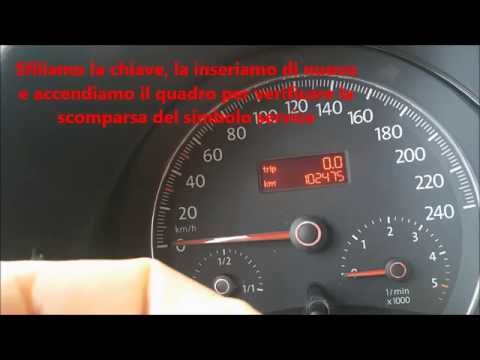 Volkswagen New Beetle (1999-2012 / 9C, MK 2) How to Reset the Service Light on a Volkswagen New Beetle In this tutorial video, you will see how to reset the maintenance light on a Volkswagen New Beetle. When the service light comes on, the first thing to do is …Read all… Posted on 13 July 2026 by ScegliAuto  Volkswagen New Beetle (1999-2012 / 9C, MK 2) How to Reset the Radio in a Volkswagen New Beetle? In this tutorial, you will learn how to reset the radio in a Volkswagen New Beetle, which is necessary if you want to return to factory settings. Before doing …Read all… Posted on 3 July 2026 by ScegliAuto Warning Light – Error Code Volkswagen New Beetle (1999-2012 / 9 c, mk 2)
Volkswagen New Beetle (1999-2012 / 9C, MK 2)How to Reset the Service Light on a Volkswagen New Beetle In this video, you will learn how to reset the service light on a Volkswagen "Beetle" New Beetle. First, turn off the ignition and press and hold the trip …Read all… Posted on 30 October 2026 by ScegliAuto
Volkswagen New Beetle (2011-2018 / MK 3)How to Reset the Trip Mileage on the Volkswagen New Beetle Today's steps will show you how to reset the trip mileage (Trip A or B) on the Volkswagen New Beetle, as well as on other models from the manufacturer. First, …Read all… Posted on 2 October 2026 by ScegliAuto
Volkswagen New Beetle (1999-2012 / 9C, MK 2)How to enter the radio code for the Volkswagen New Beetle This guide will show you how to enter and retrieve the radio code for the Volkswagen New Beetle in simple and quick steps. First, get into the vehicle and turn …Read all… Posted on 1 October 2026 by ScegliAuto
Volkswagen New Beetle (2011-2018 / MK 3)How to Reset the Service Light on Volkswagen New Beetle This video tutorial shows how to reset the service light on the Volkswagen New Beetle. First, perform vehicle maintenance such as changing the engine oil and …Read all… Posted on 29 July 2026 by ScegliAuto
Volkswagen New Beetle (1999-2012 / 9C, MK 2)How to Reset the Service Light on a Volkswagen New Beetle In this tutorial video, you will see how to reset the maintenance light on a Volkswagen New Beetle. When the service light comes on, the first thing to do is …Read all… Posted on 13 July 2026 by ScegliAuto
Volkswagen New Beetle (1999-2012 / 9C, MK 2)How to Reset the Radio in a Volkswagen New Beetle? In this tutorial, you will learn how to reset the radio in a Volkswagen New Beetle, which is necessary if you want to return to factory settings. Before doing …Read all… Posted on 3 July 2026 by ScegliAuto Airbag (1) Alternator (6) Speaker (1) Shocks (4) Antenna (1) Air conditioning (3) Car stereo (10) Battery (11) Air vents (1) Bushings (1) Convertible top (7) Body (4) Glove compartment (1) Control unit (1) Key (9) Trunk lock (3) Timing belt (3) V-belt (1) Air conditioner (1) Onboard computer (1) Checks and maintenance (19) Oil pan (1) Dashboard (4) Shifter boot (2) MAF sensor (1) Brake rotors (3) Rear bench seat (1) Side marker light (2) Headlight (11) Tail light (4) Fog lights (3) Air filter (2) Cabin air filter (10) Fuel filter (2) Diesel fuel filter (2) Oil filter (2) Parking brake (1) Window switch (1) Light bulb (1) Headlight bulb (11) Tail light bulb (2) Interior dome light bulb (1) (1) Rear window (1) Handle (3) Exhaust muffler (1) Engine (2) Power window motor (9) Starter motor (2) Engine oil (3) Clock (8) Door trim panel (17) Windshield (1) Front bumper (3) Rear bumper (3) Brake pads (3) Tires (2) Shift knob (1) Pump (5) Fuel pump (2) Instrument cluster (1) Heater core (1) Fuse box (37) Seat (6) Axle shaft (1) Crankshaft position sensor (1) Door lock (4) Side mirror (4) Rearview mirror (1) Warning light – error code (6) Tire pressure warning light (15) Service warning light (40) Manufacturer emblem (1) Fuel cap (1) Thermostat (2) Valve (1) Blower motor (2) Side window (3) Steering wheel (5) |
How to Open the Hood of the BMW X3
Today, you will learn how to open and close the hood of the BMW X3. To perform this simple operation, lift the hood release lever located next to the door seal on the driver’s side. After pulling the lever, you will notice that the hood will lift slightly. Position yourself in front of the hood and lift it after moving the internal lever from left to right. To keep the hood secure during maintenance, use the side support rod. To close the hood, simply let it fall back into place. by ScegliAuto More videos
|
|
For advertising on this site Write to info@scegliauto.com
ScegliAuto is not responsible for any inaccuracy of the data in the lists. To report any inaccuracy or your business (if you own the business in question), please write to info@scegliauto.com
Number of seconds to generate the page: 0.012
(c) ScegliAuto 2026 - info@scegliauto.com - Privacy policy VAT number: IT01247470535 |
