
|
Do it yourself
| |||
| ||||


Volkswagen New Beetle - Car stereoCar Stereo Volkswagen New Beetle (2011-2018 / mk 3) Volkswagen New Beetle (2011-2018 / MK 3) How to remove and install the radio in a Volkswagen New Beetle In this video we can see how to remove and install the radio of a New Beetle: we will need the appropriate keys, which we can find for example on Amazon with …Read all… Posted on 21 July 2025 by ScegliAuto  Volkswagen New Beetle (1999-2012 / 9C, MK 2) How to Remove the Radio from a Volkswagen New Beetle? To remove the radio from a Volkswagen New Beetle, insert the appropriate keys into the two slots located at the bottom of the device: once these keys are …Read all… Posted on 20 October 2026 by ScegliAuto  Volkswagen New Beetle (1999-2012 / 9C, MK 2) How to Remove a Stuck CD from the New Beetle's Radio This video tutorial shows the procedure for removing a stuck CD from the radio. Specifically, this video is for the Volkswagen New Beetle, but the same …Read all… Posted on 15 August 2026 by ScegliAuto  Volkswagen New Beetle (2011-2018 / MK 3) How to Replace the Radio in a Volkswagen New Beetle To remove the radio from a Volkswagen New Beetle, use a thin object to lever off the trim around the radio: after removing this trim, you will need to detach …Read all… Posted on 8 August 2026 by ScegliAuto 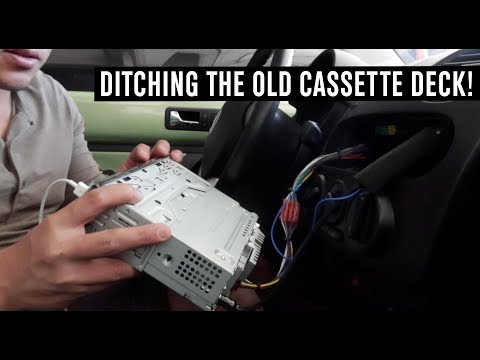 Volkswagen New Beetle (1999-2012 / 9C, MK 2) How to Remove the Radio on a VW New Beetle Want to remove the radio from a New Beetle? Let's see how to take out the radio from the dashboard of the New Beetle. Turn off the radio, then use the original …Read all… Posted on 28 May 2026 by ScegliAuto 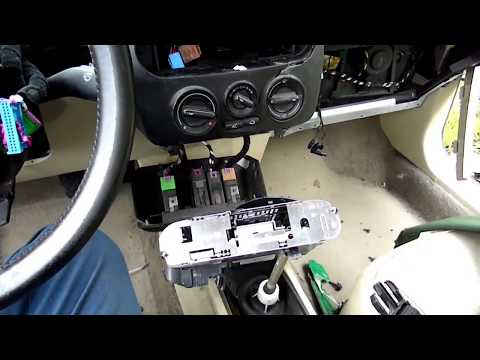 Volkswagen New Beetle (1999-2012 / 9C, MK 2) Radio Replacement on VW New Beetle Removing the radio from the New Beetle? Here’s how to take it out from the dashboard. Insert the release keys into the lower part of the radio (beneath the …Read all… Posted on 13 April 2026 by ScegliAuto  Volkswagen New Beetle (1999-2012 / 9C, MK 2) Removing the Original Radio from a New Beetle Is the radio in your Volkswagen New Beetle damaged? Here’s how to remove it from the central dashboard. Insert the release keys into the slots on the plastic …Read all… Posted on 11 April 2026 by ScegliAuto 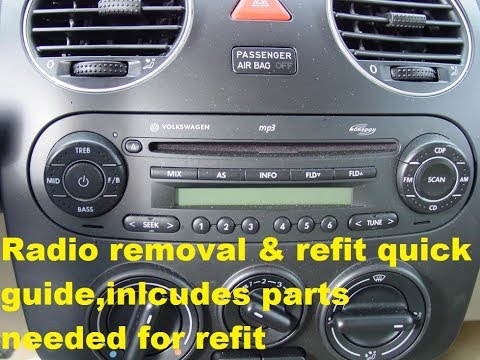 Volkswagen New Beetle (1999-2012 / 9C, MK 2) How to Remove the Radio from the VW New Beetle To remove the original radio, you first need the specific extraction keys. These are essentially very thin metal bars with a bevel at the end. Once inserted …Read all… Posted on 3 March 2026 by ScegliAuto  Volkswagen New Beetle (1999-2012 / 9C, MK 2) Removing the Car Radio with Two Different Sets of Keys The job can be performed on all VW models equipped with this standard setup, identifiable by the specific slots for extraction keys beneath the radio. There …Read all… Posted on 13 February 2026 by ScegliAuto  Volkswagen New Beetle (1999-2012 / 9C, MK 2) Instructions for Removing the Car Radio To remove the original car radio, you first need the appropriate release keys. At the lower ends of the car radio, there are two small slots where the keys …Read all… Posted on 5 February 2026 by ScegliAuto Car Stereo Volkswagen New Beetle (1999-2012 / 9 c, mk 2)
Volkswagen New Beetle (2011-2018 / MK 3)How to remove and install the radio in a Volkswagen New Beetle In this video we can see how to remove and install the radio of a New Beetle: we will need the appropriate keys, which we can find for example on Amazon with …Read all… Posted on 21 July 2025 by ScegliAuto
Volkswagen New Beetle (1999-2012 / 9C, MK 2)How to Remove the Radio from a Volkswagen New Beetle? To remove the radio from a Volkswagen New Beetle, insert the appropriate keys into the two slots located at the bottom of the device: once these keys are …Read all… Posted on 20 October 2026 by ScegliAuto
Volkswagen New Beetle (1999-2012 / 9C, MK 2)How to Remove a Stuck CD from the New Beetle's Radio This video tutorial shows the procedure for removing a stuck CD from the radio. Specifically, this video is for the Volkswagen New Beetle, but the same …Read all… Posted on 15 August 2026 by ScegliAuto
Volkswagen New Beetle (2011-2018 / MK 3)How to Replace the Radio in a Volkswagen New Beetle To remove the radio from a Volkswagen New Beetle, use a thin object to lever off the trim around the radio: after removing this trim, you will need to detach …Read all… Posted on 8 August 2026 by ScegliAuto
Volkswagen New Beetle (1999-2012 / 9C, MK 2)How to Remove the Radio on a VW New Beetle Want to remove the radio from a New Beetle? Let's see how to take out the radio from the dashboard of the New Beetle. Turn off the radio, then use the original …Read all… Posted on 28 May 2026 by ScegliAuto
Volkswagen New Beetle (1999-2012 / 9C, MK 2)Radio Replacement on VW New Beetle Removing the radio from the New Beetle? Here’s how to take it out from the dashboard. Insert the release keys into the lower part of the radio (beneath the …Read all… Posted on 13 April 2026 by ScegliAuto
Volkswagen New Beetle (1999-2012 / 9C, MK 2)Removing the Original Radio from a New Beetle Is the radio in your Volkswagen New Beetle damaged? Here’s how to remove it from the central dashboard. Insert the release keys into the slots on the plastic …Read all… Posted on 11 April 2026 by ScegliAuto
Volkswagen New Beetle (1999-2012 / 9C, MK 2)How to Remove the Radio from the VW New Beetle To remove the original radio, you first need the specific extraction keys. These are essentially very thin metal bars with a bevel at the end. Once inserted …Read all… Posted on 3 March 2026 by ScegliAuto
Volkswagen New Beetle (1999-2012 / 9C, MK 2)Removing the Car Radio with Two Different Sets of Keys The job can be performed on all VW models equipped with this standard setup, identifiable by the specific slots for extraction keys beneath the radio. There …Read all… Posted on 13 February 2026 by ScegliAuto
Volkswagen New Beetle (1999-2012 / 9C, MK 2)Instructions for Removing the Car Radio To remove the original car radio, you first need the appropriate release keys. At the lower ends of the car radio, there are two small slots where the keys …Read all… Posted on 5 February 2026 by ScegliAuto Airbag (1) Alternator (6) Speaker (1) Shocks (4) Antenna (1) Air conditioning (3) Car stereo (10) Battery (11) Air vents (1) Bushings (1) Convertible top (7) Body (4) Glove compartment (1) Control unit (1) Key (9) Trunk lock (3) Timing belt (3) V-belt (1) Air conditioner (1) Onboard computer (1) Checks and maintenance (19) Oil pan (1) Dashboard (4) Shifter boot (2) MAF sensor (1) Brake rotors (3) Rear bench seat (1) Side marker light (2) Headlight (11) Tail light (4) Fog lights (3) Air filter (2) Cabin air filter (10) Fuel filter (2) Diesel fuel filter (2) Oil filter (2) Parking brake (1) Window switch (1) Light bulb (1) Headlight bulb (11) Tail light bulb (2) Interior dome light bulb (1) (1) Rear window (1) Handle (3) Exhaust muffler (1) Engine (2) Power window motor (9) Starter motor (2) Engine oil (3) Clock (8) Door trim panel (17) Windshield (1) Front bumper (3) Rear bumper (3) Brake pads (3) Tires (2) Shift knob (1) Pump (5) Fuel pump (2) Instrument cluster (1) Heater core (1) Fuse box (37) Seat (6) Axle shaft (1) Crankshaft position sensor (1) Door lock (4) Side mirror (4) Rearview mirror (1) Warning light – error code (6) Tire pressure warning light (15) Service warning light (40) Manufacturer emblem (1) Fuel cap (1) Thermostat (2) Valve (1) Blower motor (2) Side window (3) Steering wheel (5) |
How to Reset the Tire Pressure Light on a MG ZS?
On the instrument cluster of the MG ZS, the tire pressure light that appears can be reset by inflating the tires to the correct pressure: this value will be indicated on the sticker attached to the driver's door pillar. Once the tires have been properly inflated, you can turn on the instrument cluster and navigate through the menu until you find the option that indicates tire pressure: if this screen shows the new values, the light will turn off; otherwise, you will need to drive for a few miles so that the sensors can read the new values and turn off the light afterward. by ScegliAuto More videos
|
|
For advertising on this site Write to info@scegliauto.com
ScegliAuto is not responsible for any inaccuracy of the data in the lists. To report any inaccuracy or your business (if you own the business in question), please write to info@scegliauto.com
Number of seconds to generate the page: 0.010
(c) ScegliAuto 2026 - info@scegliauto.com - Privacy policy VAT number: IT01247470535 |
