
|
Do it yourself
| |||
| ||||


Fitting Additional Instrumentation Accessory Kit
Model: Volkswagen Golf
Golf 5, MK 5, Golf V
- Years:
2003, 2004, 2005, 2006, 2007, 2008
Video tutorial
Obtain the additional instrumentation kit. Open the bonnet and remove the air intake to easily access the engine where the three sensors necessary for the additional instrumentation will be installed. Wire the sensors and connect a power wire directly from the battery, protecting the wiring from engine heat with suitable material and routing the wiring into the cabin alongside the cables. Remove the speakers from the dashboard and the ventilation grille, which will be replaced with the one from the kit. Connect the various tubes as per the kit instructions. Install the wiring in the compartment under the radio and the instruments in the designated housing. Connect the various cables and control panel.
Updated on 2 February 2026 by ScegliAuto
Related tutorials
Volkswagen Golf
(2008-2012 /
Golf 6, MK 6, 5K1, Golf VI)
Before proceeding, obtain the control unit kit for the vehicle in question. Remove the engine cover to access the installed control unit. Disconnect …
Volkswagen Golf
(2012-2019 /
MK 7, Golf 7, Golf VII)
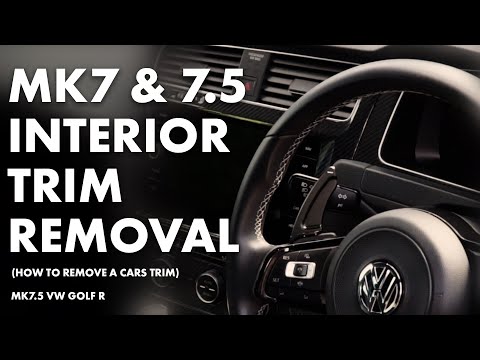
This tutorial video shows you how to remove and replace the front air vents of the dashboard, as well as the main parts and components of the instrum…

Volkswagen Golf
(2012-2019 /
MK 7, Golf 7, Golf VII)
After changing the engine oil on the Volkswagen Golf, you need to reset the system that alerts you to the need for this maintenance operation. Sit in…
Other guides you may be interested in
|
How to reset the tyre pressure warning light on the Kia Niro EV?
To reset the tyre pressure warning light on the Kia Niro EV, inflate the tyres until they reach the correct pressure value. This value is indicated on the sticker attached to the driver's door pillar. Once the tyres are inflated, turn on the instrument cluster to check that the warning light has completely disappeared from the display. If it is still present, you may need to drive for a few miles to ensure it disappears completely from the screen. by ScegliAuto More videos
|
|
For advertising on this site Write to info@scegliauto.com
ScegliAuto is not responsible for any inaccuracy of the data in the lists. To report any inaccuracy or your business (if you own the business in question), please write to info@scegliauto.com
Number of seconds to generate the page: 0.079
(c) ScegliAuto 2026 - info@scegliauto.com - Privacy policy VAT number: IT01247470535 |
