
|
Do it yourself
| |||
| ||||


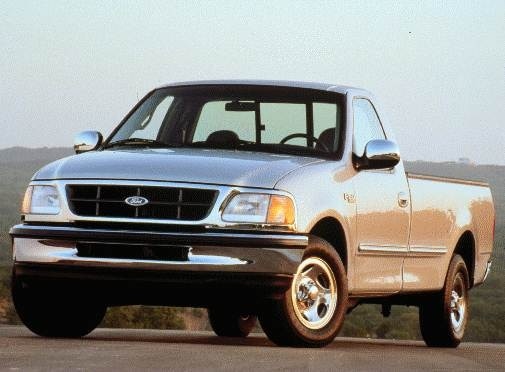
Resetting the Service Light on the Ford F150 MK10
Model: Ford F-150
MK 10
- Years:
1997, 1998, 1999, 2000, 2001, 2002, 2003, 2004
Video tutorial
As you approach the mileage for an engine oil change and filter replacement on the Ford F150, a light will appear on the dashboard to remind you. We will reset the module that handles this notification after the replacement is done. To do this, sit in the driver's seat, turn the key to the ON position to power the dashboard without starting the engine, fully press the accelerator pedal five times, then turn off the dashboard. When you restart, the absence of the light will confirm that the reset was successful.
Updated on 20 October 2026 by ScegliAuto
Related tutorials
Ford F-150
(1997-2004 /
MK 10)
This guide shows how to remove the rear light of the Ford F150 Mk10. The process is very simple and does not require special tools. First, open the t…

Ford F-150
(1997-2004 /
MK 10)
In this video we see how to repair the anti-theft code of a 1999 Ford F150. The anti-theft code appeared on the dashboard, and the car won't start be…

Ford F-150
(1997-2004 /
MK 10)
In this video, we will see the location and diagram of the fuse boxes for the 1997 Ford F150. Regarding the positioning inside the cabin, there is a …
Other guides you may be interested in
|
How to Reset the Tyre Pressure Warning Light on the Jeep Renegade?
To reset the tyre pressure warning light on the Jeep Renegade, inflate the tyres until they reach the recommended pressure: this value is indicated on the sticker attached to the driver’s door pillar. Once the tyres are properly inflated, navigate through the menu that appears on the instrument cluster until you find the tyre pressure option. At this point, press and hold the OK button on the right side of the steering wheel to make the warning light disappear. by ScegliAuto More videos
|
|
For advertising on this site Write to info@scegliauto.com
ScegliAuto is not responsible for any inaccuracy of the data in the lists. To report any inaccuracy or your business (if you own the business in question), please write to info@scegliauto.com
Number of seconds to generate the page: 0.138
(c) ScegliAuto 2026 - info@scegliauto.com - Privacy policy VAT number: IT01247470535 |
