Do it yourself
Frequently asked questions about cars and motorcycles
  1. Car
  2. :
  3. Fiat
  4. :
  5. Bravo
  6. : MAF sensor

Fiat Bravo - MAF sensor

MAF Sensor Fiat Bravo (2007-2014 / bravo 2)

Fiat Bravo (2007-2014 / Bravo2)
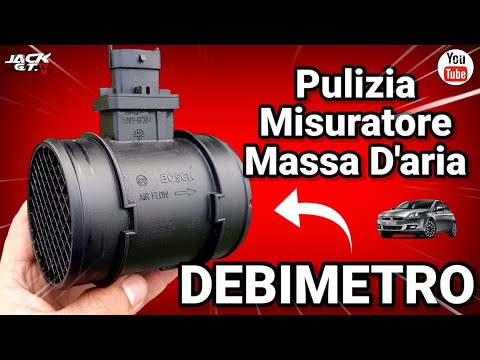
How to Remove the Mass Air Flow Sensor on Fiat Bravo 2

In this video, you will see how to remove the mass air flow sensor, commonly known as the MAF sensor, on a Fiat Bravo second series with a 1.6 MultiJet engine. …Read all…
Posted on 23 May 2026 by ScegliAuto

Airbag (1) Alternator (1) Speaker (4) Shocks (3) Antenna (2) Car stereo (14) Battery (4) Air vents (1) Control arm (1) Spark plugs (2) Glow plugs (1) Body (1) Control unit (1) Key (1) Timing belt (3) Air conditioner (1) A/C controls (3) Onboard computer (1) Checks and maintenance (7) Dashboard (5) MAF sensor (1) Brake rotors (2) Side marker light (1) Headlight (4) Tail light (5) Fog lights (4) Air filter (8) Cabin air filter (11) Diesel fuel filter (7) Oil filter (4) Parking brake (2) Clutch (1) Grille (3) Light bulb (2) Side marker bulb (1) Headlight bulb (10) Tail light bulb (3) Interior dome light bulb (2) Instrument panel light (2) License plate light (1) (3) Handle (1) Engine (7) Engine oil (4) Clock (6) Door trim panel (7) Front bumper (3) Rear bumper (2) Brake pads (5) Shift knob (4) Instrument cluster (2) Radiator (2) Fuse box (22) Seat (1) Parking sensors (1) Suspension system (2) Side mirror (6) Warning light – error code (7) Service warning light (19) Manufacturer emblem (1) Fuel cap (1) Windshield wipers (4) Turbocharger (1) Valve (1) EGR valve (3) Steering wheel (4)

How to Replace the Cabin Filter on the Opel Grandland X

If you own an Opel Grandland X and want to know the steps to replace the cabin air filter, carefully read the following guide and follow the described steps. First, enter the vehicle and go to the passenger side. Then, locate the box containing the air filter in the lower side area of the dashboard. Remove the cover of the box and finally replace the old filter with the new one. Refit the cover, and you are done.

Watch the video!


by ScegliAuto

More videos