Do it yourself
Frequently asked questions about cars and motorcycles
  1. Car
  2. :
  3. Fiat
  4. :
  5. Bravo
  6. : Oil filter

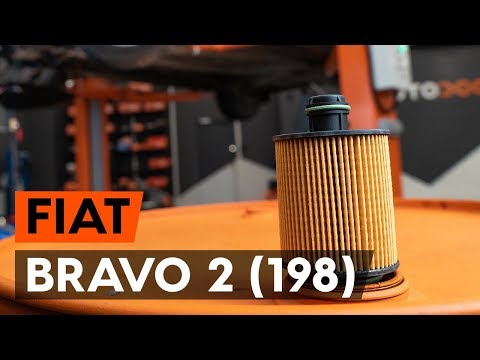
Fiat Bravo - Oil filter

Oil Filter Fiat Bravo (2007-2014 / bravo 2)

Fiat Bravo (2007-2014 / Bravo2)
Oil Filter Replacement on Fiat Bravo 1.6 MultiJet 120HP

Required tools: hex keys, ratchet, 10mm and 17mm sockets, screwdrivers, chain tool, funnel, oil, jack, basin. Raise the vehicle to access the oil sump. Using a …Read all…
Posted on 16 April 2026 by ScegliAuto
Fiat Bravo (2007-2014 / Bravo2)
How to Replace the Engine Oil Filter in the Fiat Bravo 2

After opening the bonnet of the engine compartment and unscrewing the oil filler cap, remove the dipstick. Lift the FIAT Bravo using the ramp where it was …Read all…
Posted on 25 March 2026 by ScegliAuto
Fiat Bravo (2007-2014 / Bravo2)
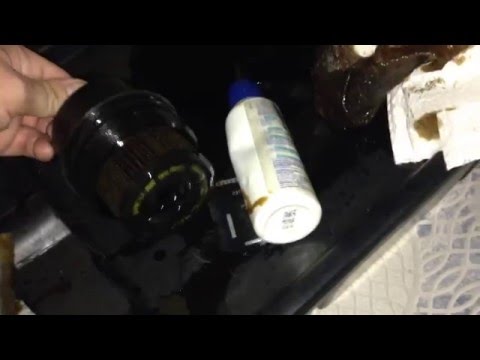
How to Replace the Oil Filter on Fiat Bravo

How to replace the oil filter on a Fiat Bravo? Follow this guide to proceed with the replacement: open the car door and pull up the engine compartment release …Read all…
Posted on 20 March 2026 by ScegliAuto
Fiat Bravo (2007-2014 / Bravo2)
How to Remove the Engine Oil Filter on Fiat Bravo

How do you remove the engine oil filter on a Fiat Bravo? Follow this guide to proceed with the replacement: open the car door and pull up the engine …Read all…
Posted on 20 March 2026 by ScegliAuto

Airbag (1) Alternator (1) Speaker (4) Shocks (3) Antenna (2) Car stereo (14) Battery (4) Air vents (1) Control arm (1) Spark plugs (2) Glow plugs (1) Body (1) Control unit (1) Key (1) Timing belt (3) Air conditioner (1) A/C controls (3) Onboard computer (1) Checks and maintenance (7) Dashboard (5) MAF sensor (1) Brake rotors (2) Side marker light (1) Headlight (4) Tail light (5) Fog lights (4) Air filter (8) Cabin air filter (11) Diesel fuel filter (7) Oil filter (4) Parking brake (2) Clutch (1) Grille (3) Light bulb (2) Side marker bulb (1) Headlight bulb (10) Tail light bulb (3) Interior dome light bulb (2) Instrument panel light (2) License plate light (1) (3) Handle (1) Engine (7) Engine oil (4) Clock (6) Door trim panel (7) Front bumper (3) Rear bumper (2) Brake pads (5) Shift knob (4) Instrument cluster (2) Radiator (2) Fuse box (22) Seat (1) Parking sensors (1) Suspension system (2) Side mirror (6) Warning light – error code (7) Service warning light (19) Manufacturer emblem (1) Fuel cap (1) Windshield wipers (4) Turbocharger (1) Valve (1) EGR valve (3) Steering wheel (4)

How to reset the tyre pressure warning light on the Dacia Sandero?

To reset the tyre pressure warning light on the Dacia Sandero, inflate all the tyres to the pressure indicated on the label on the driver's door. Once the tyres are inflated, turn on the ignition and navigate through the menu using the controls on the right side of the steering wheel. Scroll with the arrows to find the tyre pressure option: by holding down the OK button located on the right side of the steering wheel, you can reset the warning light.

Watch the video!


by ScegliAuto

More videos