
|
Do it yourself
| |||
| ||||



Where is the Engine Oil Filter Located and How to Replace it on the Volkswagen Tiguan Mk1
Model: Volkswagen Tiguan
5N, MK 1
- Years:
2007, 2008, 2009, 2010, 2011, 2012, 2013, 2014, 2015, 2016
Video tutorial
This guide shows how to perform the engine oil and filter replacement on the Volkswagen Tiguan Mk1 with a 2.0 TSI engine. First, open the bonnet and remove the plastic engine cover, unscrew the oil filler cap, and move the hose that passes over the oil filter. Remove the oil filter and clean the mounting surface; install the new filter element. From underneath the vehicle, you can drain the oil sump using the drain bolt with a Torx T45 key; collect the used oil in appropriate disposal containers. After closing the drain valve, top up the reservoir with about 4.5 litres of 5W30 oil. Start the engine for a few minutes and then check the level.
Updated on 6 November 2026 by ScegliAuto
Related tutorials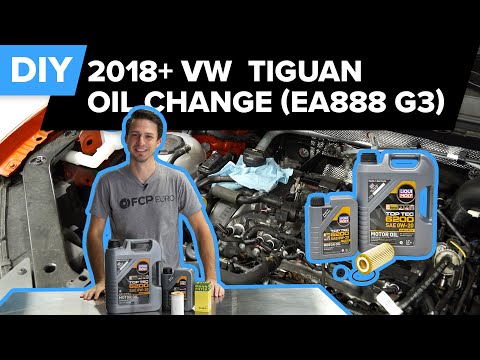
Volkswagen Tiguan
(2016-2025 /
BW, MK 2, AD)
This guide will show you how to remove and replace the engine oil and oil filter, performing the regular service maintenance on the Volkswagen Tiguan…

Volkswagen Tiguan
(2007-2016 /
5N, MK 1)
To change the engine oil on a Volkswagen Tiguan, access the underside of the engine compartment where the oil drain plug is located: this must be ope…

Volkswagen Tiguan
(2007-2016 /
5N, MK 1)
The following video tutorial shows us the steps to replace the oil filter and engine oil of the Volkswagen Tiguan model 1. We open the oil tank cap a…
Other guides you may be interested in
|
How to reset the tyre pressure warning light on the Kia Niro EV?
To reset the tyre pressure warning light on the Kia Niro EV, inflate the tyres until they reach the correct pressure value. This value is indicated on the sticker attached to the driver's door pillar. Once the tyres are inflated, turn on the instrument cluster to check that the warning light has completely disappeared from the display. If it is still present, you may need to drive for a few miles to ensure it disappears completely from the screen. by ScegliAuto More videos
|
|
For advertising on this site Write to info@scegliauto.com
ScegliAuto is not responsible for any inaccuracy of the data in the lists. To report any inaccuracy or your business (if you own the business in question), please write to info@scegliauto.com
Number of seconds to generate the page: 0.166
(c) ScegliAuto 2026 - info@scegliauto.com - Privacy policy VAT number: IT01247470535 |
