
|
Do it yourself
| |||
| ||||


Meaning of Symbols - Orange/Amber Warning Lights on the Dashboard
Model: Volkswagen Golf
MK 5, Golf 5, Golf V
- Years 2003-2008
It is very important to understand the meaning of the individual warning lights on the dashboard. In this video guide, you will learn about the most common ones. Note that orange-amber illumination usually does not indicate an immediate danger, but warns the driver that a timely check and maintenance are necessary to avoid damage.
The following indications follow in chronological order the lights displayed in the video. Let's examine their meanings in detail and what to do in each case. - Emission Control Light: If it flashes and you notice a loss of power, stop the engine immediately and call your trusted garage; If it stays on steady, try turning off the engine for at least 30 seconds. If the light remains on when you restart, contact your garage. - DPF (Diesel Particulate Filter): The light usually comes on when the filter is dirty. You need to go to a garage for a cleaning operation. - EPC (Engine Management Light): If this is accompanied by a loss of power or the illumination of other lights, stop the engine and contact the garage. Otherwise, proceed with caution to the garage. - Engine Pre-Heating Light: This usually lights up every time you turn on the ignition. It is important that it goes off shortly after. If it stays on while the engine is running and is accompanied by another warning light or loss of power, turn off the engine immediately and call the garage. Otherwise, you may proceed at low speed to the service centre. - Engine Oil Level: If it stays on steady, check the engine oil level and top it up; If it flashes, it indicates a failure of the sensor measuring the level, requiring immediate inspection at the garage. - ABS (Anti-lock Braking System): The ABS and/or ESP system may not be functioning correctly. Check that the brakes work and proceed with caution to the nearest garage. - ESP (Electronic Stability Control): If it stays on steady, it means the system has been intentionally or unintentionally deactivated via the button located near the handbrake. To reactivate the system, simply press and hold the button; If the light flashes occasionally while driving, it indicates a partial loss of grip on the rear wheels, and you are advised to reduce speed. - Tyre Pressure Warning: Check the pressure of all four tyres and adjust it to the correct level indicated in the maintenance manual (if a tyre is near zero pressure, consult your trusted tyre fitter). Now press the button with the same symbol on the dashboard for 3 seconds. If the light comes on again, contact the garage. - Brake Pad Wear Indicator: Its illumination indicates significant wear of the brake pads. Visit the garage as soon as possible to have them replaced. - Airbags and Seatbelts: The light comes on when an anomaly is detected in the safety system regulating the airbag deployment. Proceed carefully to the garage until the light goes off; the airbag may not function in the event of an accident. - Bulb Failure Indicator: Lights up when one of the external bulbs is blown. Check and replace it. Remember that if you have xenon headlights, you need to consult the garage to restore their function. - Insufficient Windscreen Washer Fluid: You need to top up the washer fluid. For the correct mix of antifreeze and water, consult the instructions on the packaging. - Fog Light: Indicates that the fog light is currently on. - Insufficient Fuel Level: You need to top up the fuel. The light usually comes on for the first time when there is approximately 5 litres of fuel left in the tank. - Power Steering Failure: This may be a temporary anomaly or a fault in the power steering. It is advisable to consult the garage. - Stop Light Failure: Indicates that a stop light is blown. A quick replacement is recommended. - Adaptive Suspension System Failure: If the light flashes, turn off the engine for 30 seconds and attempt to restart. If the error signal reappears, contact the garage.
Updated on 2 February 2026 by ScegliAuto
Video tutorial
Related tutorials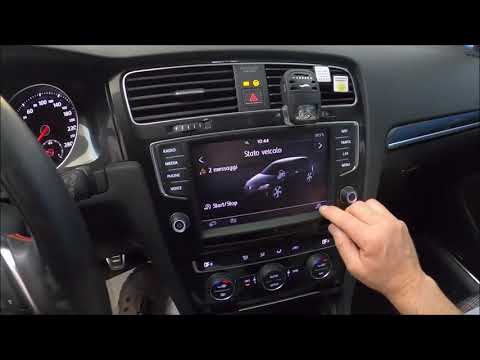
Volkswagen Golf
(2012-2019 /
Golf VII, MK 7, Golf 7)
Your Volkswagen Golf 7, like all cars, has a dashboard where warning lights illuminate when something is not functioning correctly. One of the most c…
Volkswagen Golf
(2003-2008 /
MK 5, Golf 5, Golf V)
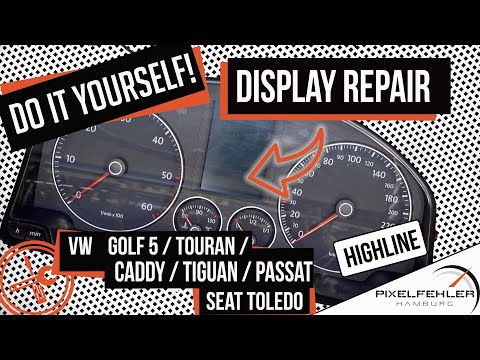
It is now well known that many models of the VW have a fault with the instrument cluster display: some pixels no longer light up, and the text or war…

Volkswagen Golf
(2008-2012 /
MK 6, Golf VI, Golf 6, 5K1)
If the orange TPMS tire pressure warning light on your Volkswagen Golf Mk6 continues to stay on even without any punctures, then you need to proceed …
Other guides you may be interested in
|
Frequently Asked QuestionsHow to Connect the Cables to the Battery of the Citroen Xsara Picasso?
In this tutorial, you will see how to connect the cables to the battery of the Citroen Xsara Picasso, useful if you need to recharge it or perform an emergency start. First, ensure the key is not inserted, then open the bonnet and move to the front of the left headlamp. Next, locate the bolt just behind the filter box and connect the positive terminal clamp to it. Now you can connect the negative terminal to any point on the chassis, such as the indicated point. Once the operation is complete, ensure you disconnect the negative first and then the positive. by ScegliAuto More videos
|
|
For advertising on this site Write to info@scegliauto.com
ScegliAuto is not responsible for any inaccuracy of the data in the lists. To report any inaccuracy or your business (if you own the business in question), please write to info@scegliauto.com
Number of seconds to generate the page: 0.173
(c) ScegliAuto 2026 - info@scegliauto.com - Privacy policy VAT number: IT01247470535 |
