
|
Do it yourself
| |||
| ||||


Fiat Panda - Onboard computerOnboard Computer Fiat Panda (2012-2026 / 319, mk 3) Fiat Panda (2012-2026 / 319, MK 3)
Main Digital Functions of the Fiat Pandina 2025 Dashboard The digital display of the Fiat Pandina is intuitive and is controlled via four directional buttons (left, right, up, down) and the OK button. To navigate, use …Read all… Posted on 7 July 2026 by ScegliAuto  Fiat Panda (2012-2026 / 319, MK 3)
How to Activate or Deactivate the ECO Mode on the Fiat Panda Activating and deactivating the ECO mode on a Fiat Panda MK3, produced from 2012 to 2026, is a simple and quick procedure you can carry out yourself. To …Read all… Posted on 25 March 2026 by ScegliAuto  Fiat Panda (2012-2026 / 319, MK 3)
How to Change the Driving Mode on a Fiat Panda 3 Today, learn how to change the driving mode on a Fiat Panda 3. To change the driving mode, rotate the dial to the right to engage the "OFF ROAD" mode. The …Read all… Posted on 25 March 2026 by ScegliAuto  Fiat Panda (2003-2012 / 169, MK 2)
Adjusting the time on a Fiat Panda Today we will see how to adjust the time on a second series Fiat Panda (2003-2012). Let's start by turning on the instrument panel of our vehicle, then press …Read all… Posted on 22 August 2025 by ScegliAuto  Fiat Panda (2012-2026 / 319, MK 3)
How to reset the average speed of a trip on the onboard computer of the Fiat Panda Today we will explain how to reset the average speed of a journey on the on-board computer/instrument panel of the Fiat Panda Cross model mk3, produced from …Read all… Posted on 19 June 2025 by ScegliAuto  Fiat Panda (2012-2026 / 319, MK 3)
How to connect the phone to the Fiat Panda via Bluetooth Today in the guide we will see how to connect our mobile device to our Fiat Panda via Bluetooth, a third generation model produced from 2012 to 2023. First, we …Read all… Posted on 14 September 2024 by ScegliAuto  Fiat Panda (2003-2012 / 169, MK 2)
How to do proxy alignment using Kingbolen on a Fiat Panda 169 In this video, we can see how to align the proxy on a Fiat car using the Kingbolen K7 tool, connecting it to the diagnostic socket located on the left side …Read all… Posted on 17 June 2024 by ScegliAuto 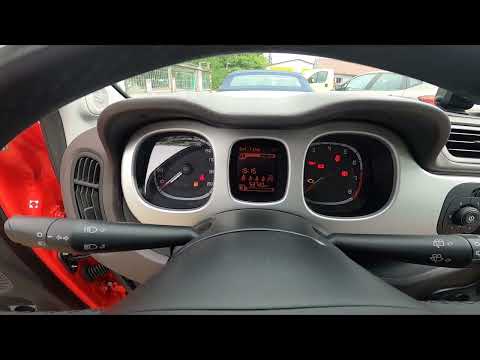 Fiat Panda (2012-2026 / 319, MK 3)
How to Change the Language on a Fiat Panda This brief video guide explains the procedure to change the system language on your Fiat Panda, third series model produced from 2012 to 2023. The process is …Read all… Posted on 19 August 2026 by ScegliAuto Onboard Computer Fiat Panda (2003-2012 / 169, mk 2)
Fiat Panda (2012-2026 / 319, MK 3)Main Digital Functions of the Fiat Pandina 2025 Dashboard The digital display of the Fiat Pandina is intuitive and is controlled via four directional buttons (left, right, up, down) and the OK button. To navigate, use …Read all… Posted on 7 July 2026 by ScegliAuto
Fiat Panda (2012-2026 / 319, MK 3)How to Activate or Deactivate the ECO Mode on the Fiat Panda Activating and deactivating the ECO mode on a Fiat Panda MK3, produced from 2012 to 2026, is a simple and quick procedure you can carry out yourself. To …Read all… Posted on 25 March 2026 by ScegliAuto
Fiat Panda (2012-2026 / 319, MK 3)How to Change the Driving Mode on a Fiat Panda 3 Today, learn how to change the driving mode on a Fiat Panda 3. To change the driving mode, rotate the dial to the right to engage the "OFF ROAD" mode. The …Read all… Posted on 25 March 2026 by ScegliAuto
Fiat Panda (2003-2012 / 169, MK 2)Adjusting the time on a Fiat Panda Today we will see how to adjust the time on a second series Fiat Panda (2003-2012). Let's start by turning on the instrument panel of our vehicle, then press …Read all… Posted on 22 August 2025 by ScegliAuto
Fiat Panda (2012-2026 / 319, MK 3)How to reset the average speed of a trip on the onboard computer of the Fiat Panda Today we will explain how to reset the average speed of a journey on the on-board computer/instrument panel of the Fiat Panda Cross model mk3, produced from …Read all… Posted on 19 June 2025 by ScegliAuto
Fiat Panda (2012-2026 / 319, MK 3)How to connect the phone to the Fiat Panda via Bluetooth Today in the guide we will see how to connect our mobile device to our Fiat Panda via Bluetooth, a third generation model produced from 2012 to 2023. First, we …Read all… Posted on 14 September 2024 by ScegliAuto
Fiat Panda (2003-2012 / 169, MK 2)How to do proxy alignment using Kingbolen on a Fiat Panda 169 In this video, we can see how to align the proxy on a Fiat car using the Kingbolen K7 tool, connecting it to the diagnostic socket located on the left side …Read all… Posted on 17 June 2024 by ScegliAuto
Fiat Panda (2012-2026 / 319, MK 3)How to Change the Language on a Fiat Panda This brief video guide explains the procedure to change the system language on your Fiat Panda, third series model produced from 2012 to 2023. The process is …Read all… Posted on 19 August 2026 by ScegliAuto Cigarette lighter (4) Airbag (15) Alternator (4) Speaker (1) Shocks (18) Antenna (1) Air conditioning (4) Car stereo (38) Anti-roll bar (1) Roof rack bars (5) Battery (13) Ignition coil (2) Air vents (2) Control arm (3) Transmission (9) Spark plugs (18) Glow plugs (2) Carburetor (2) Body (15) Glove compartment (2) Snow chains (1) Control unit (4) Key (25) Timing belt (34) V-belt (3) Air conditioner (1) A/C controls (2) Onboard computer (8) Checks and maintenance (71) Throttle body (2) Dashboard (14) Shifter boot (5) CV boot (5) Bearing (7) MAF sensor (1) Differential (4) Brake rotors (3) Wheel spacers (1) Headlight (31) Tail light (18) Fog lights (10) Air filter (29) Cabin air filter (35) Fuel filter (4) Diesel fuel filter (7) Oil filter (10) Parking brake (5) Clutch (9) Grille (1) Fuel injectors (4) Accessory kit (5) Light bulb (20) Side marker bulb (2) Headlight bulb (29) Tail light bulb (13) Interior dome light bulb (2) Antifreeze coolant (5) Instrument panel light (12) License plate light (5) (1) Handle (3) Exhaust muffler (6) Engine (10) Power window motor (4) Starter motor (8) Transmission fluid (5) Engine oil (16) Clock (36) Door trim panel (22) Windshield (3) Front bumper (10) Rear bumper (8) Brake pads (18) Hydraulic pistons (3) Shift knob (16) Pump (12) Fuel pump (15) Car door (6) Push button (1) Instrument cluster (11) Radiator (7) Heater core (11) Wheel (3) Fuse box (36) Seat (33) Axle shaft (4) Crankshaft position sensor (3) Parking sensors (3) Door lock (11) Suspension system (2) Side mirror (24) Rearview mirror (2) Warning light – error code (21) (22) Tire pressure warning light (9) Service warning light (44) Manufacturer emblem (2) Engine mount (3) Brake drums and shoes (4) Fuel cap (3) Windshield wipers (20) Thermostat (12) Cylinder head (1) Tie rods (2) Drivetrain (11) Center console tunnel (2) Turbocharger (1) Windshield washer nozzle (2) Valve (2) EGR valve (3) Blower motor (5) Side window (4) Steering wheel (14) |
How to Reset the Tyre Pressure Light on the Opel Grandland X
While driving, if you notice the tyre pressure warning light coming on, first check the actual inflation pressure of the tyres and, if necessary, restore the pressures recommended by the manufacturer. After restoring the correct pressures, you need to reset the warning light that has illuminated on the instrument cluster. To do this, locate the reset button on the lower central console. Press this button and hold it down for at least 3 seconds, after which the low pressure indication will turn off. by ScegliAuto More videos
|
|
For advertising on this site Write to info@scegliauto.com
ScegliAuto is not responsible for any inaccuracy of the data in the lists. To report any inaccuracy or your business (if you own the business in question), please write to info@scegliauto.com
Number of seconds to generate the page: 0.059
(c) ScegliAuto 2026 - info@scegliauto.com - Privacy policy VAT number: IT01247470535 |
